You can now add a single line of code to generate a map icon next to each Bible reference on any web page in your browser, and clicking on one of the icons will display a popup with all Bible Mapper Atlas MapFinder results for the Bible reference.
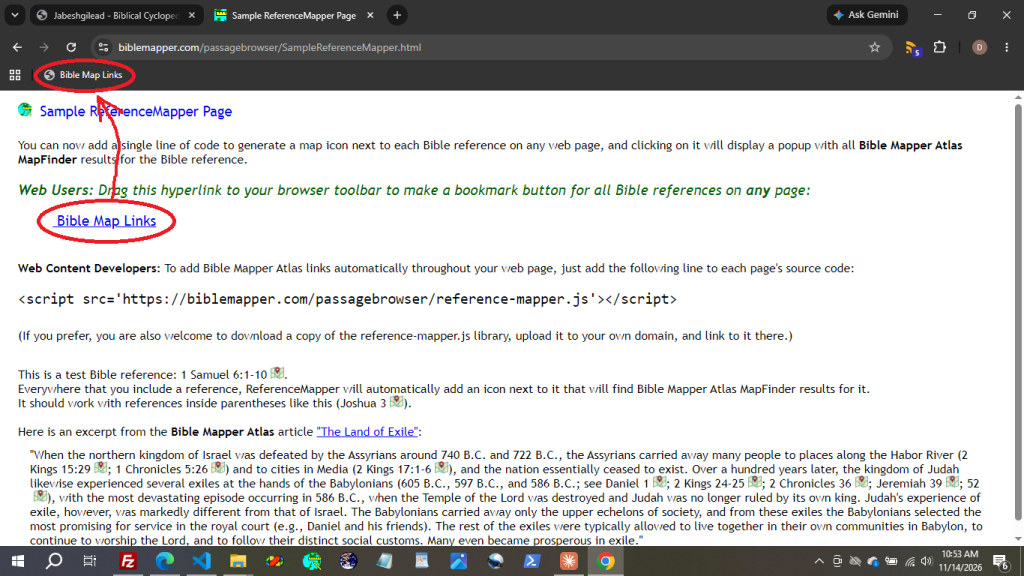
How to do it (one single step): Simply drag the “Bible Map Links” hyperlink below to your browser toolbar to make a bookmark button for all Bible references on any page on the internet:
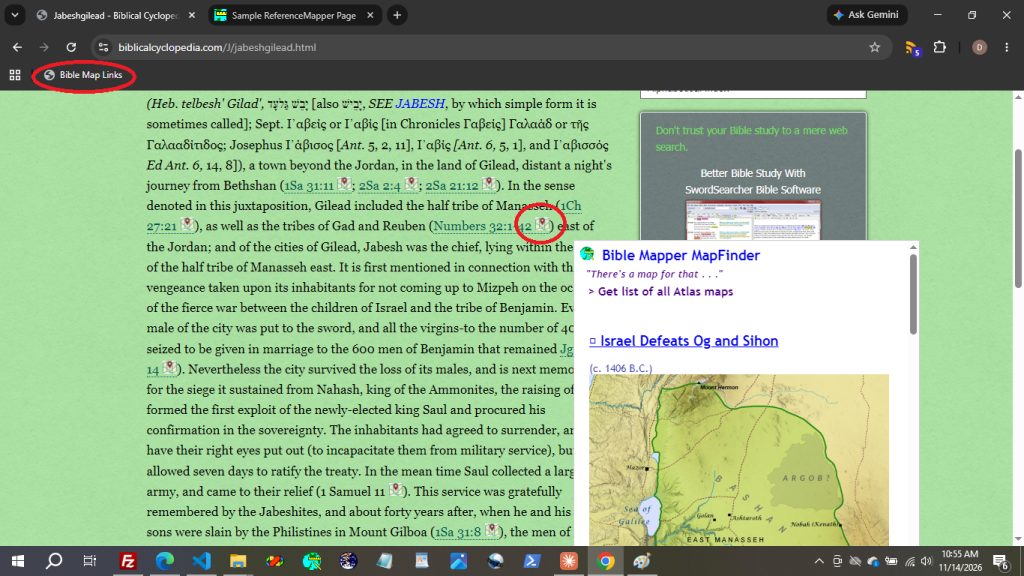
Then when you are on any web page (not just a biblemapper.com page), you can click that button in your toolbar, and an icon will be added to all Bible references on that page. Clicking on an icon will then open a Bible Mapper MapFinder popup that will show you all the maps for that chapter!
Here is a simple demo of how to use it:
You can also go here for a complete demonstration of ReferenceMapper.